 Liked by many
clay.studio every piece starts with an idea, and a lot of patience
What CANOVA is Applications The software Live Maps Science and models Buy About us
The software
A native macOS app, simple to use and pleasing to the eye: upload the images, choose the model and read the maps
You cannot express your creativity
in dull, complicated software
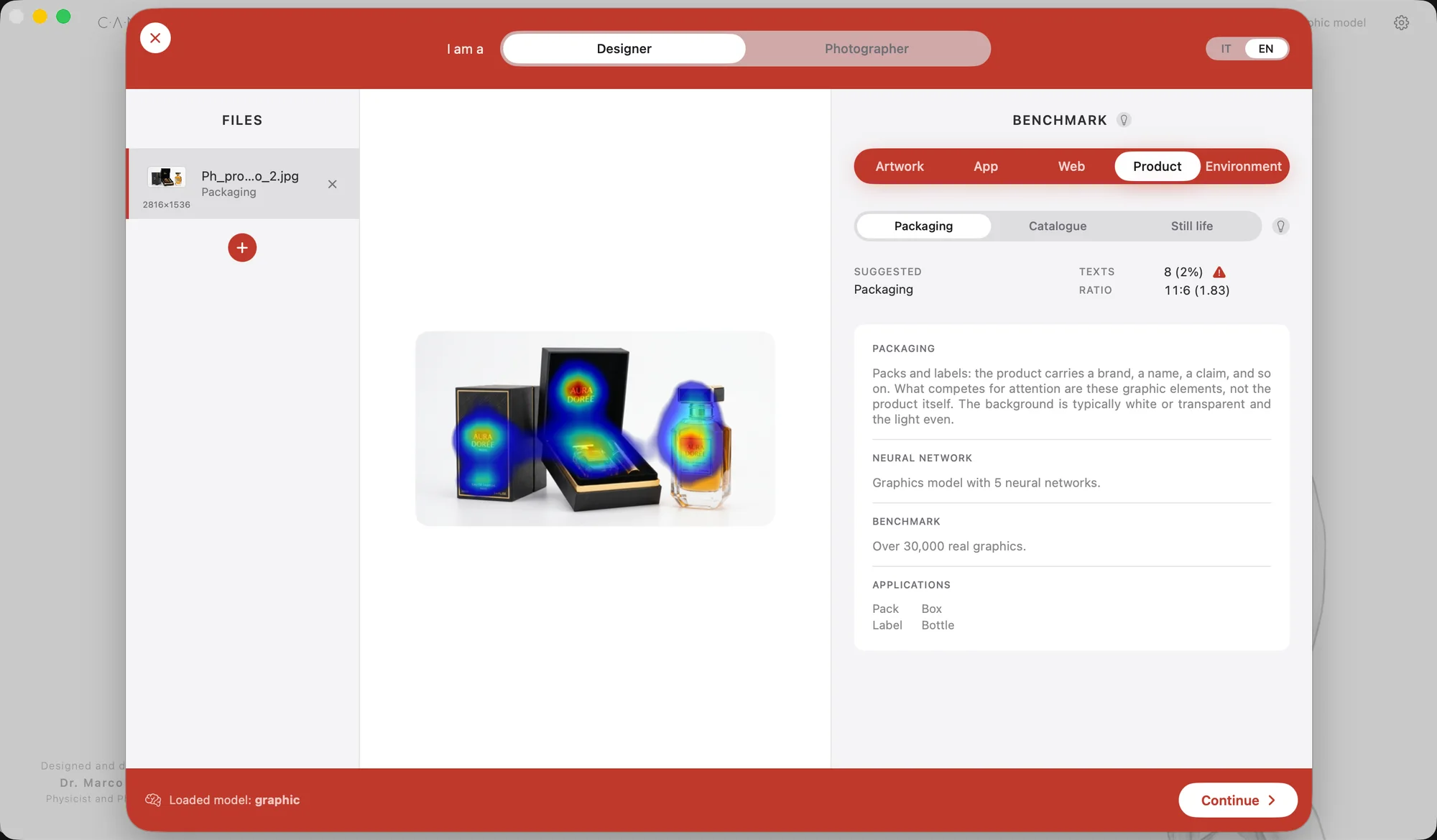
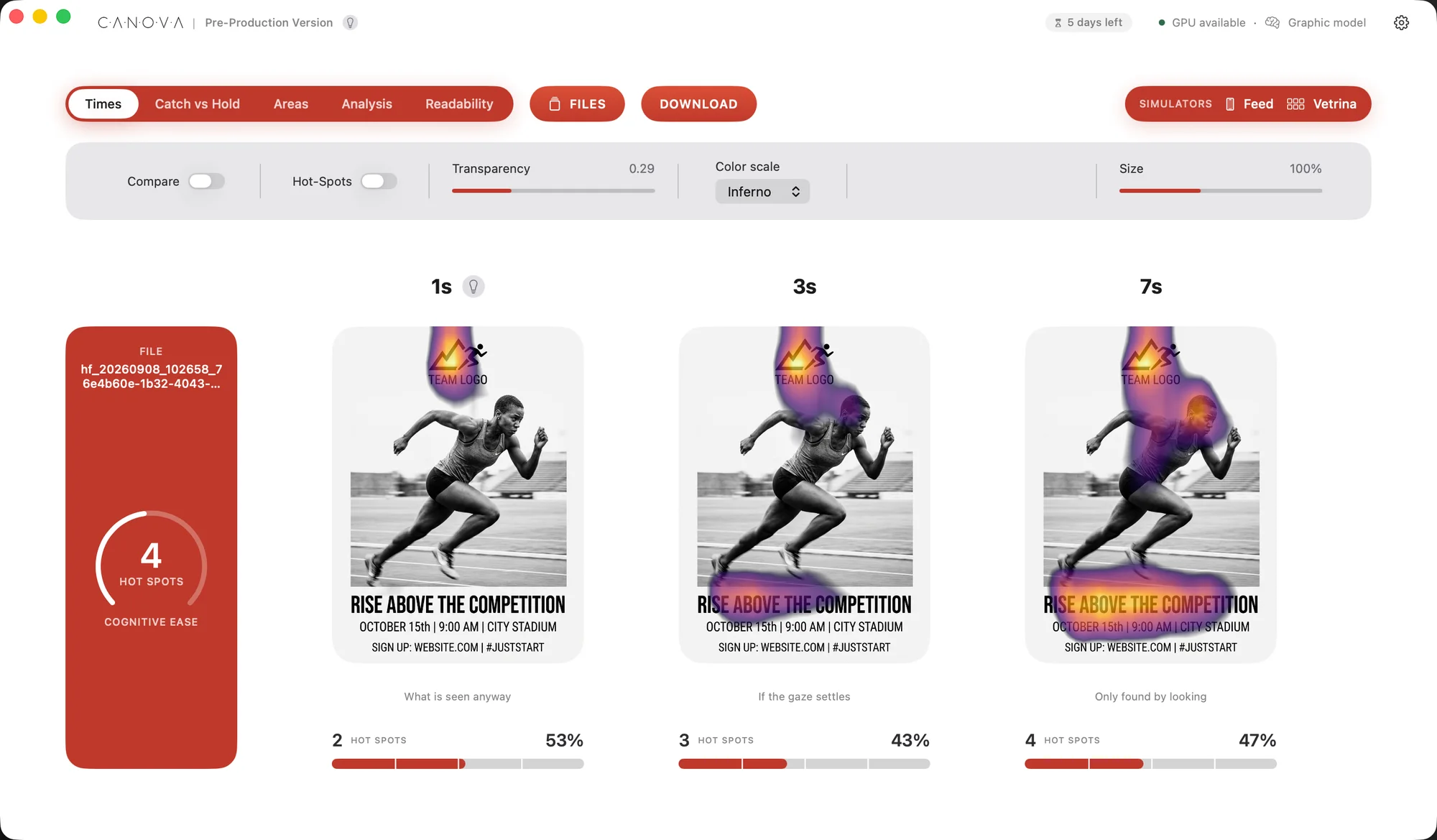
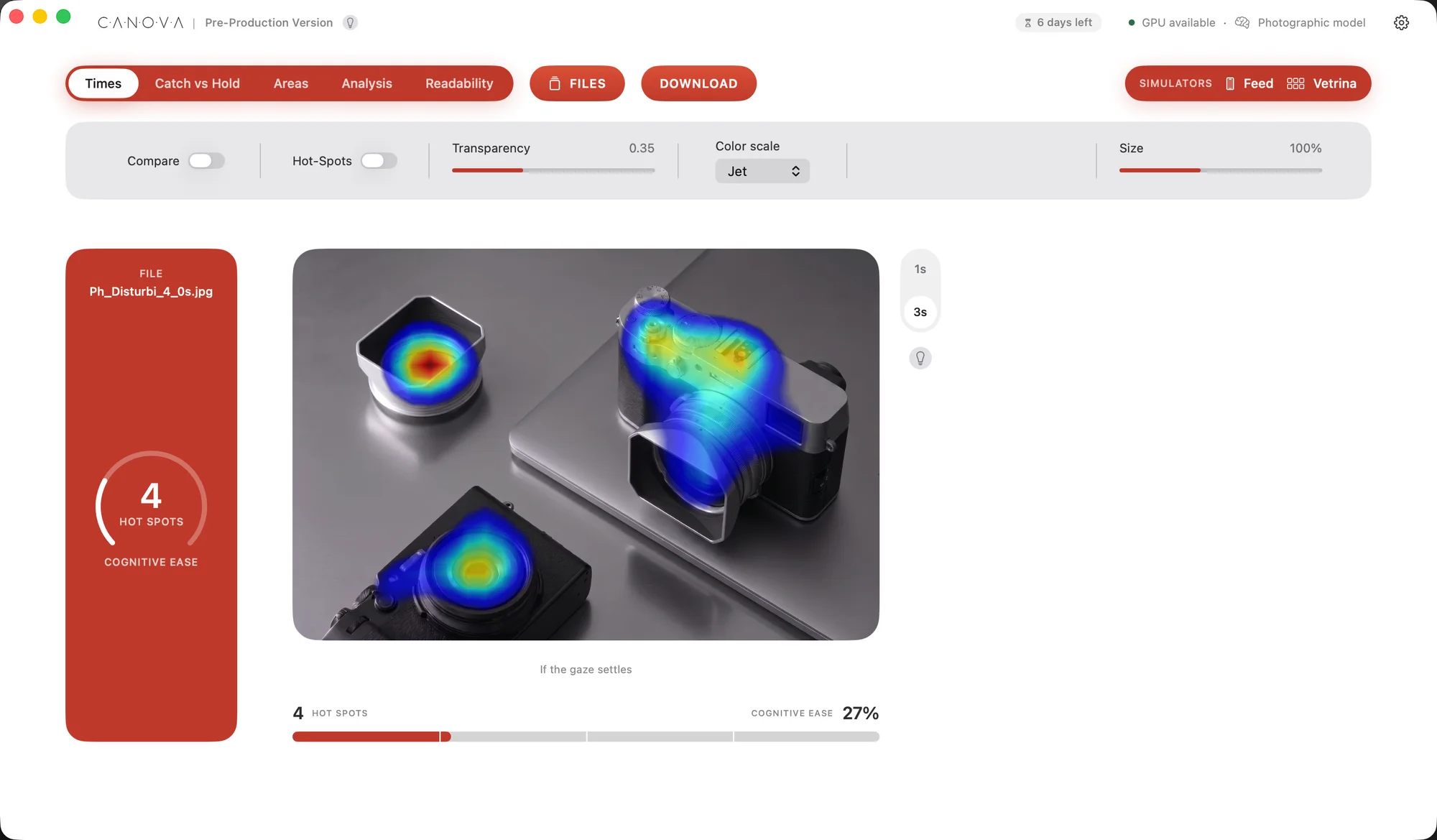
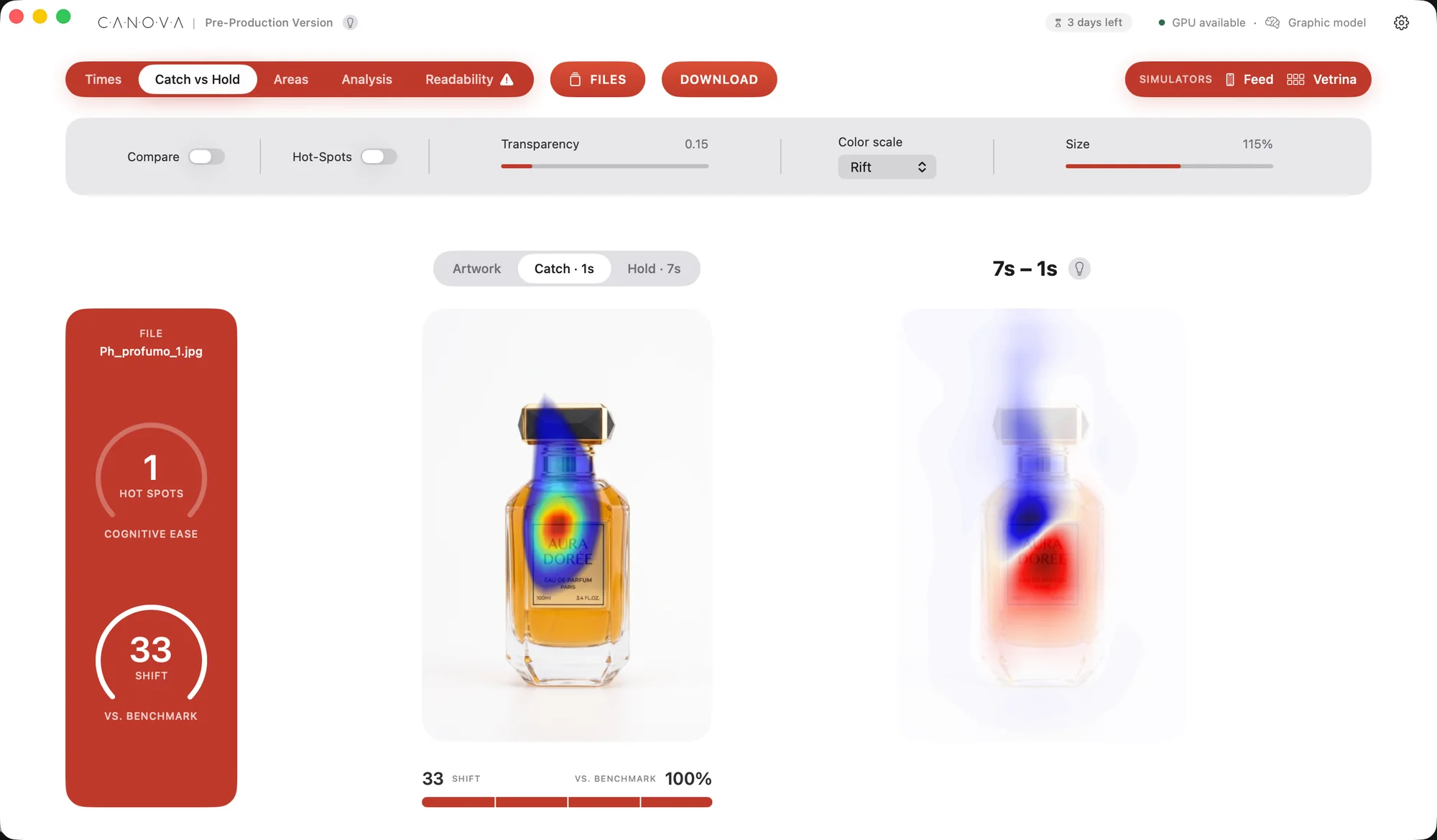
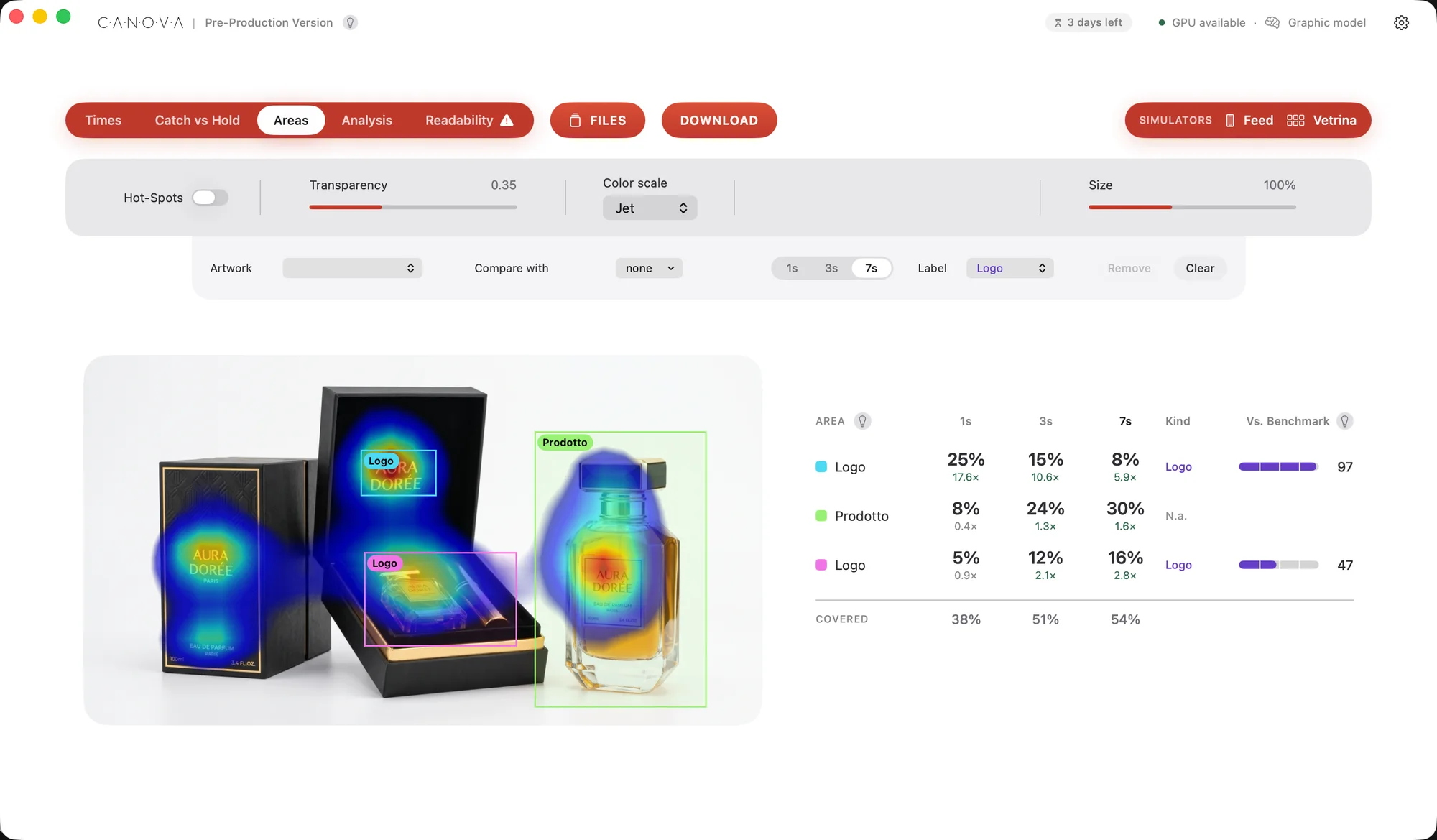
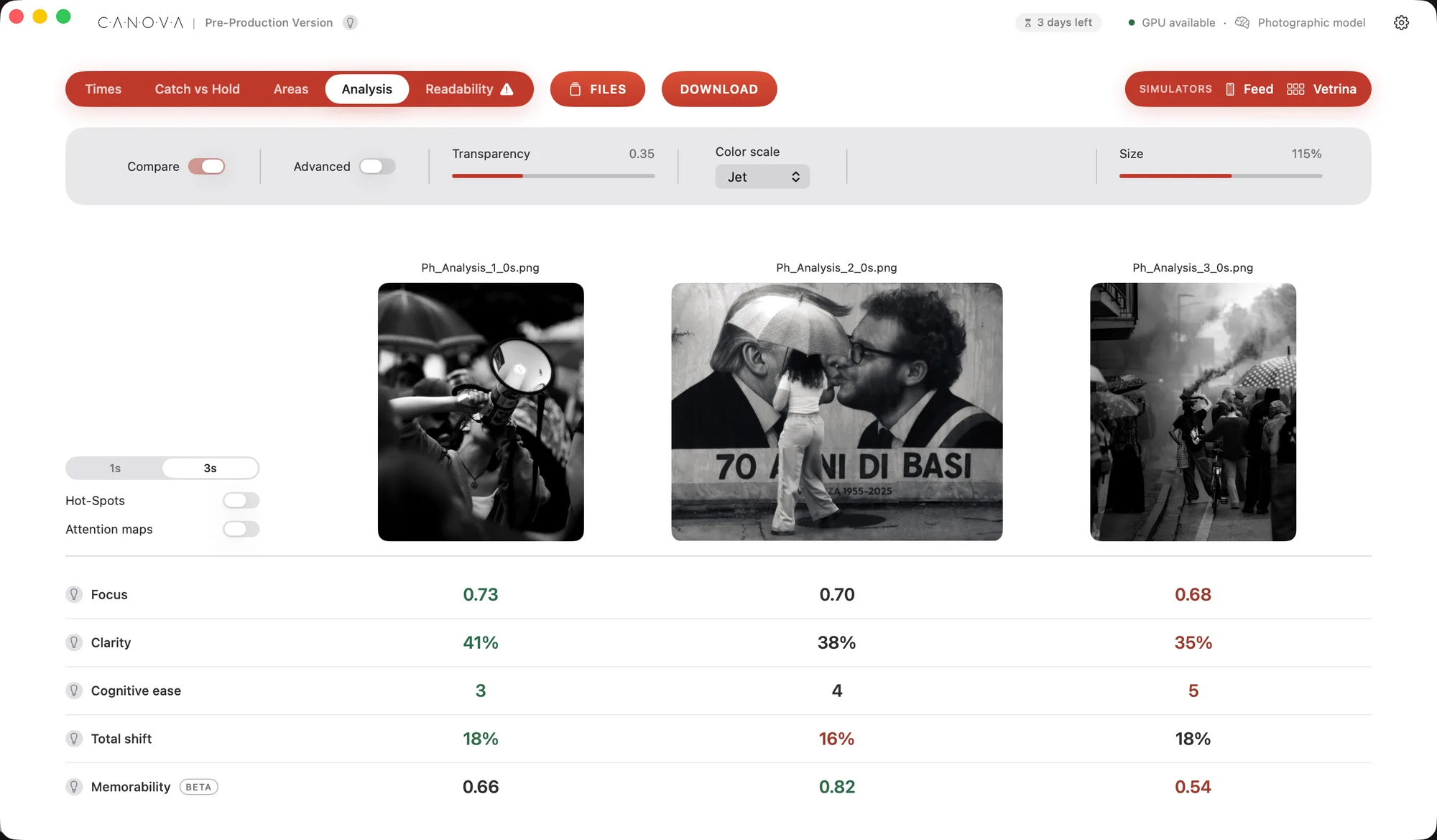
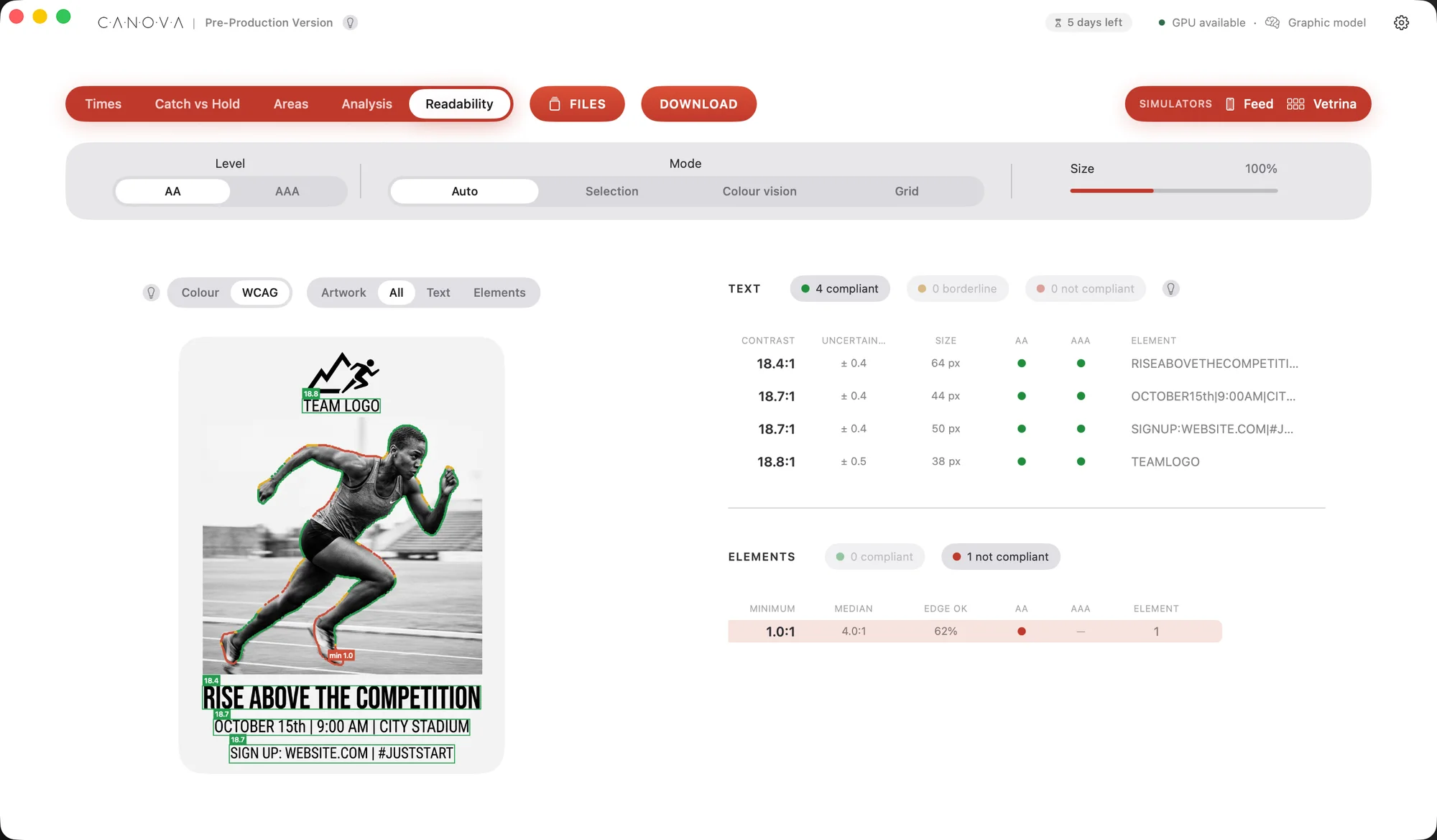
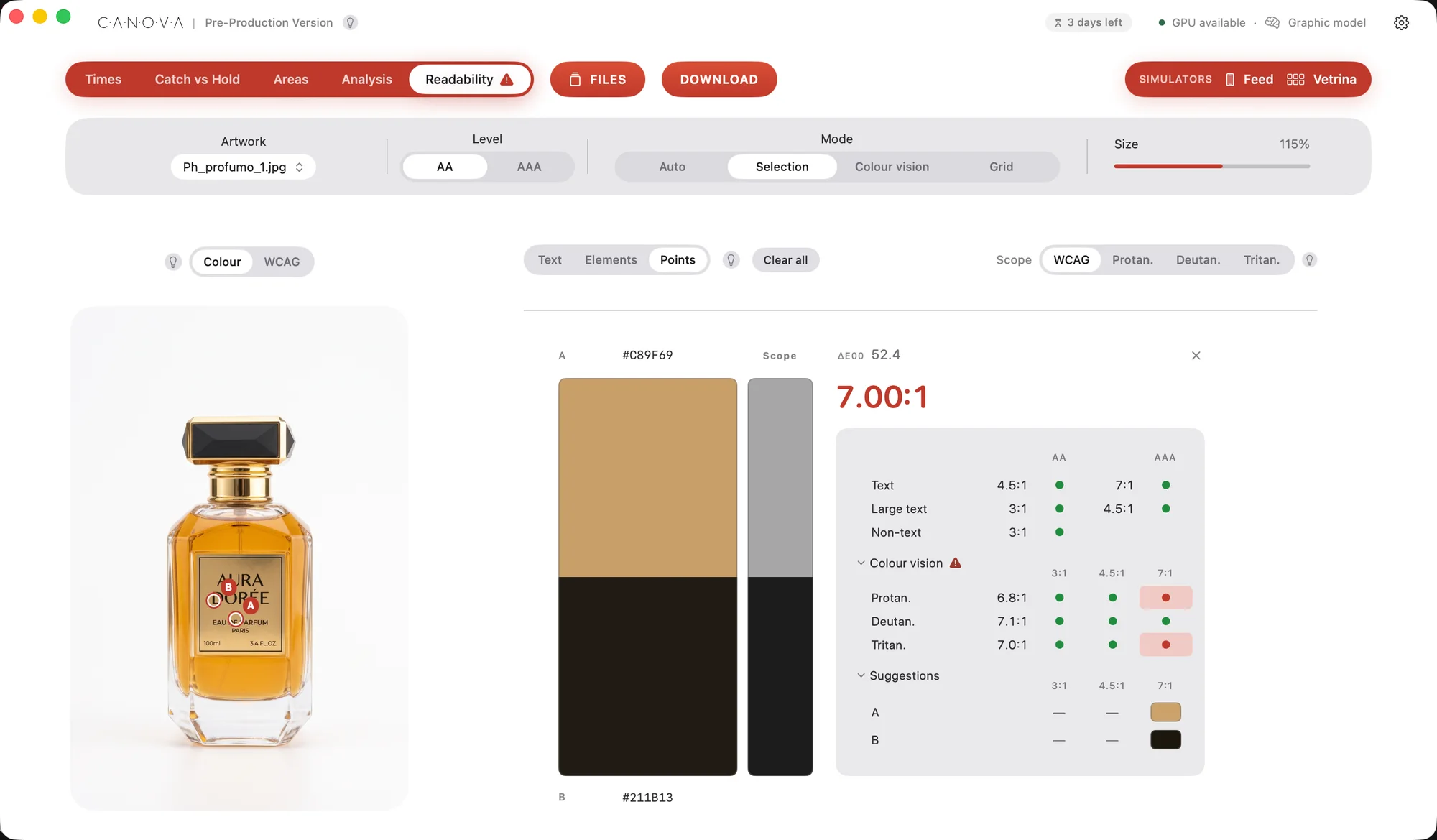
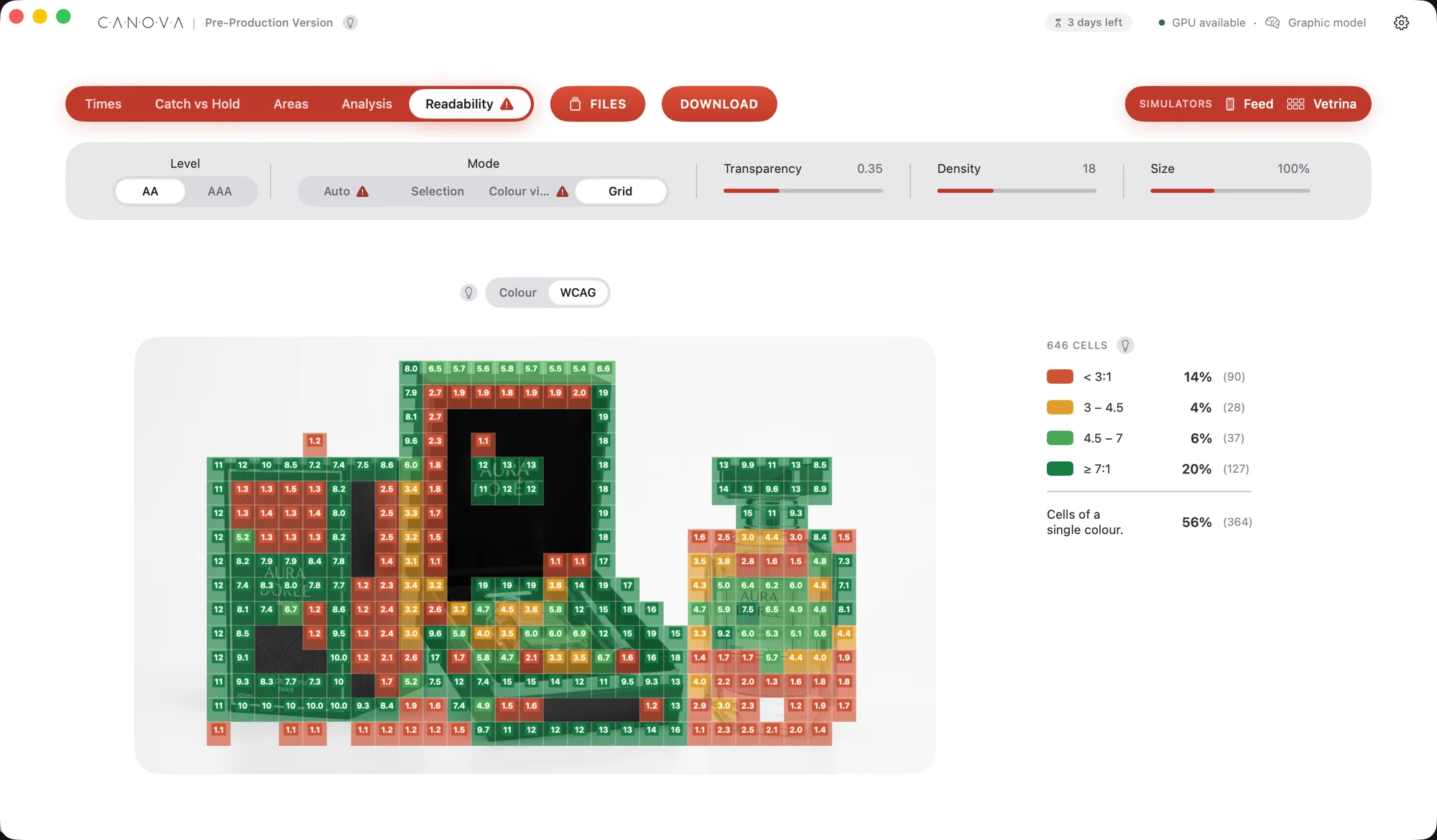
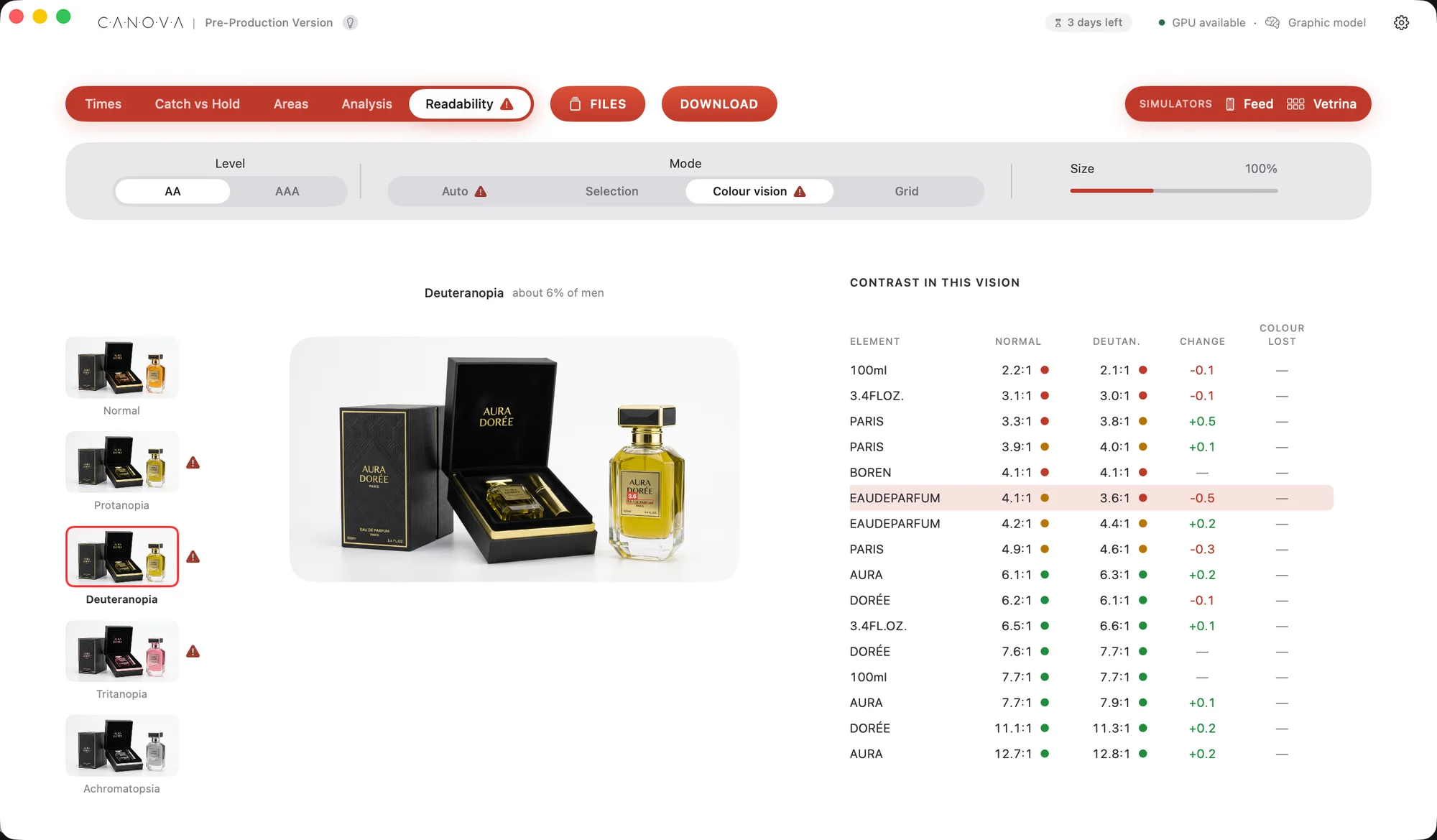
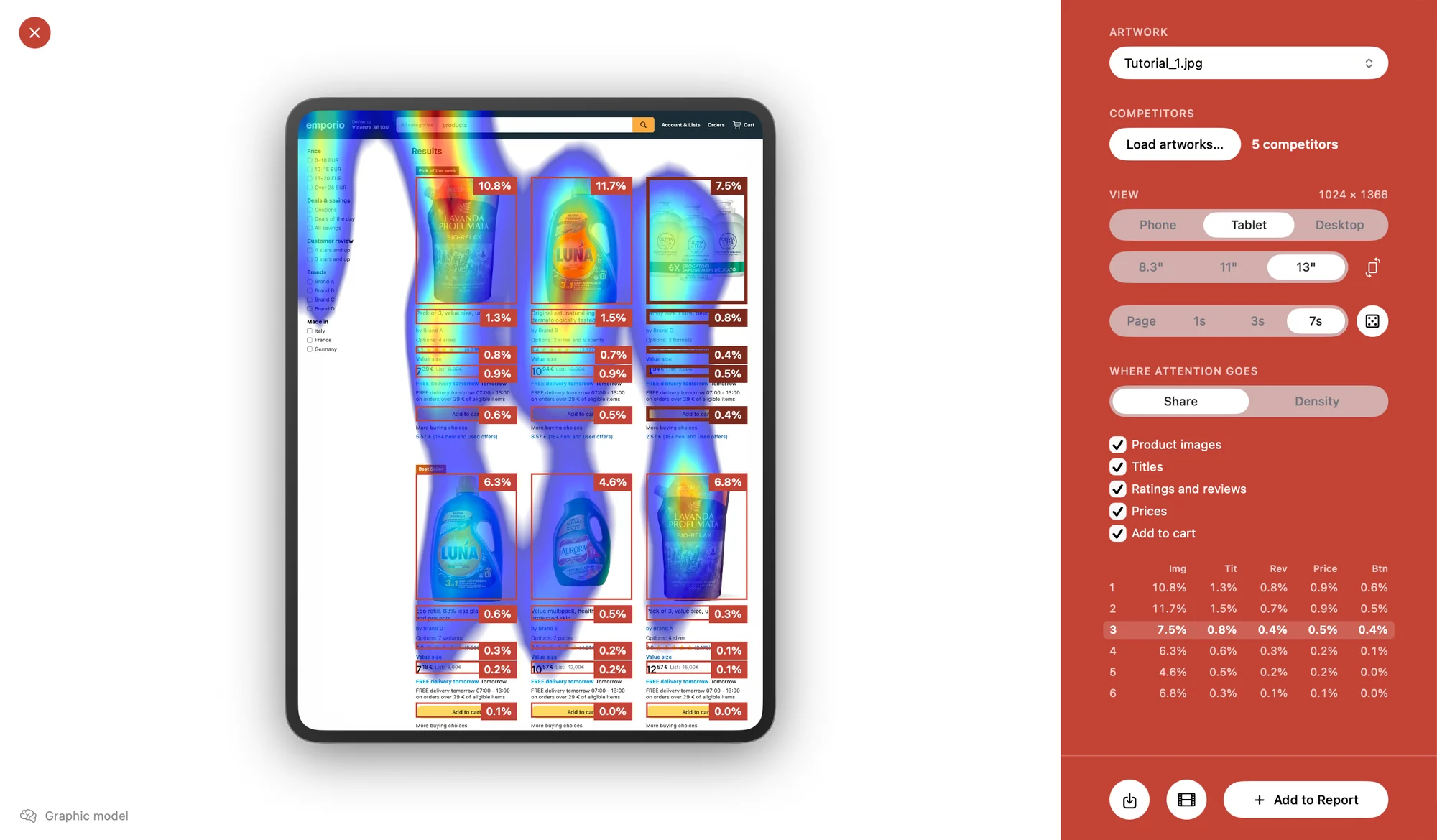
Input · files and benchmark choice
Ecosystem
Canova is an ever-expanding ecosystem that aims to cover the whole landscape of tools for visual professionals: from graphic design to product design, from photography to post-production, all the way to experimental research on colour and visual perception
The mind
The native app where it all begins: load your images, and maps and analyses arrive on their own. Readability analysis, version comparisons, simulators, all ready in a report to download and hand over to your client
For designers
Not just a plugin: attention maps, areas of interest, contrast analysis, colour blindness, waveform and skin tone map, all while you design. A whole new software without leaving Photoshop
For photographers
An advanced software for photo shoots in Capture One and Lightroom: attention maps on set, with every shot, via tethering and right on the client’s overlays. This and much more
Coming soon
The ecosystem is growing: new tools, software and plugins are on the way, to bring Canova wherever people work with images. To bring Canova into the future of design and visual communication
Simulators
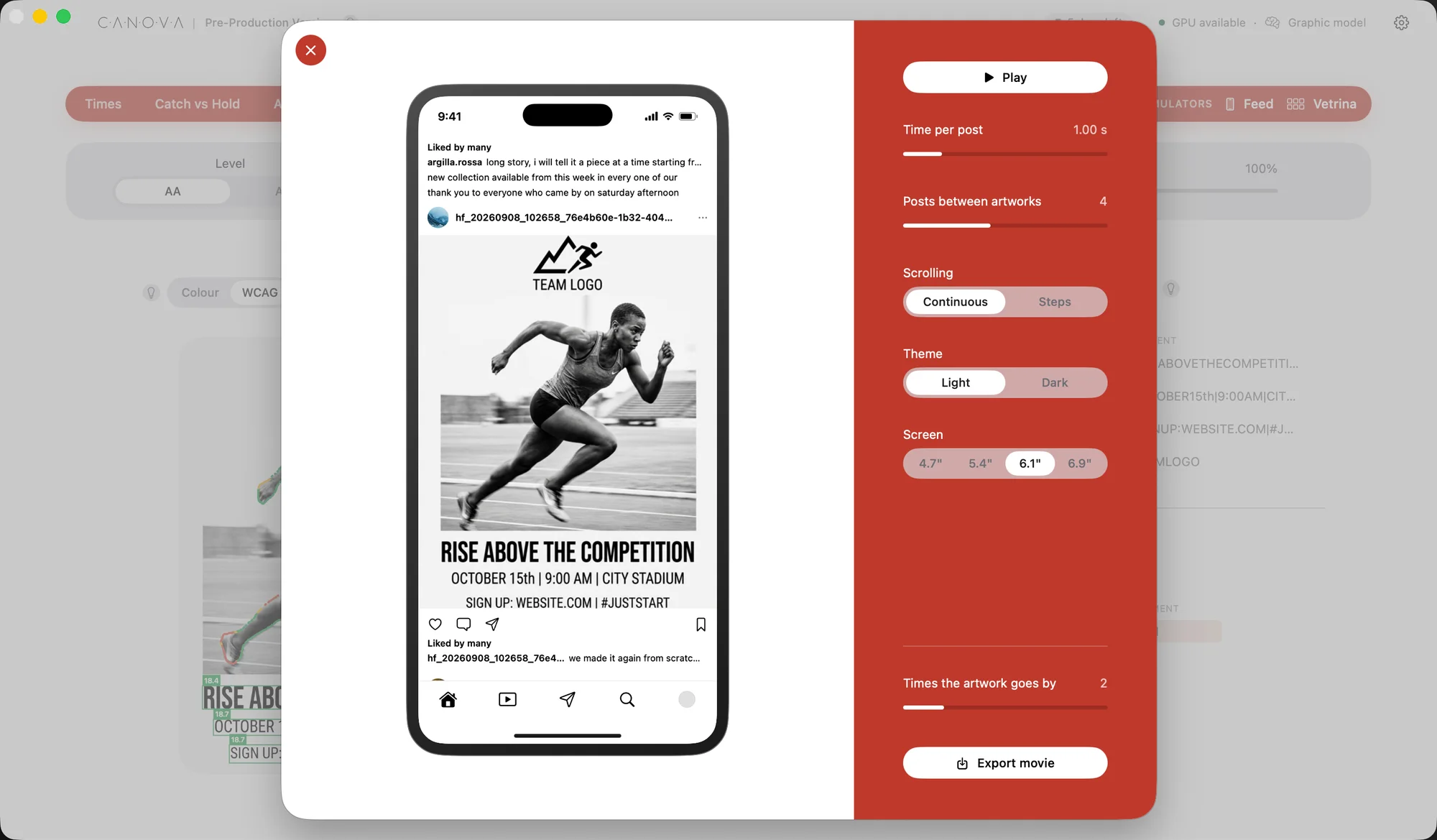
Working on a layout for hours makes you forget one thing: whoever sees it will give it one or two seconds, scrolling distractedly
A simulator restores the right distance between you and your work, showing whether the elements you laboured over will be lost or caught at a glance
9:41
Liked by manyclay.studio every piece starts with an idea, and a lot of patience
 Liked by many
laura.travels coming back here every summer is a little ritual
 Liked by many
evening.news today’s news, in short
 Liked by many
paper.home new collection available from this week
 Liked by many
fallinred.mag every piece starts with an idea, and a lot of patience
 Liked by many
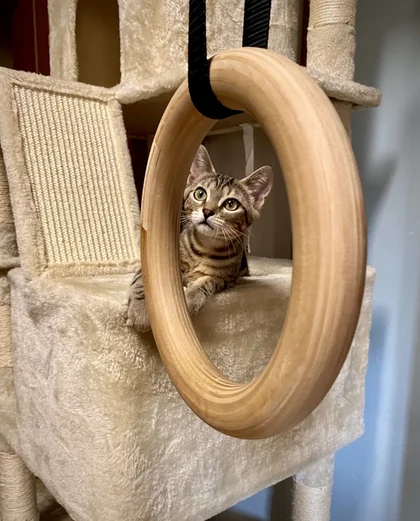
village.cat the perfect sunday does exist
 Liked by many
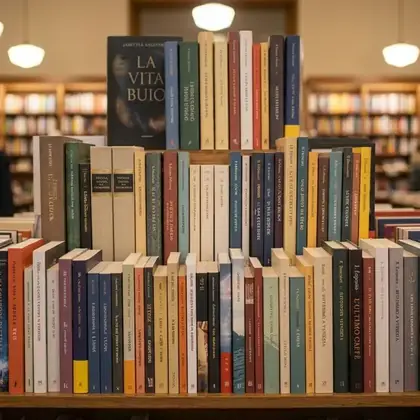
lumen.books thank you to everyone who came by on saturday
 Liked by many
puppy.daily every piece starts with an idea, and a lot of patience
 Liked by many
slow.days coming back here every summer is a little ritual
fallinred.mag coming back here every summer is a little ritual
 Liked by many
quick.coffee today’s news, in short
 Liked by many
felina.mag new collection available from this week
 Liked by many
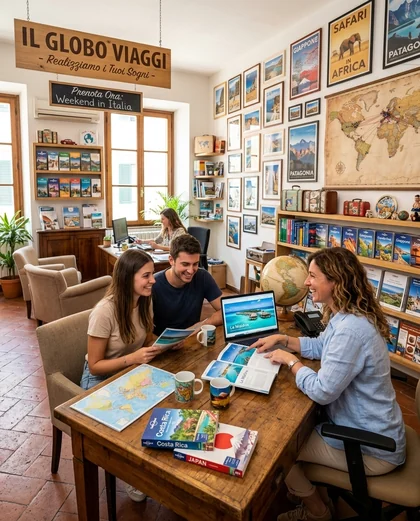
blue.coast the perfect sunday does exist
 Liked by many
travel.slowly thank you to everyone who came by on saturday
fallinred.mag today’s news, in short
clay.studio every piece starts with an idea, and a lot of patience
laura.travels coming back here every summer is a little ritual
evening.news today’s news, in short
paper.home new collection available from this week
fallinred.mag every piece starts with an idea, and a lot of patience
village.cat the perfect sunday does exist
lumen.books thank you to everyone who came by on saturday
puppy.daily every piece starts with an idea, and a lot of patience
slow.days coming back here every summer is a little ritual
fallinred.mag coming back here every summer is a little ritual
quick.coffee today’s news, in short
felina.mag new collection available from this week
blue.coast the perfect sunday does exist
travel.slowly thank you to everyone who came by on saturday
fallinred.mag today’s news, in short
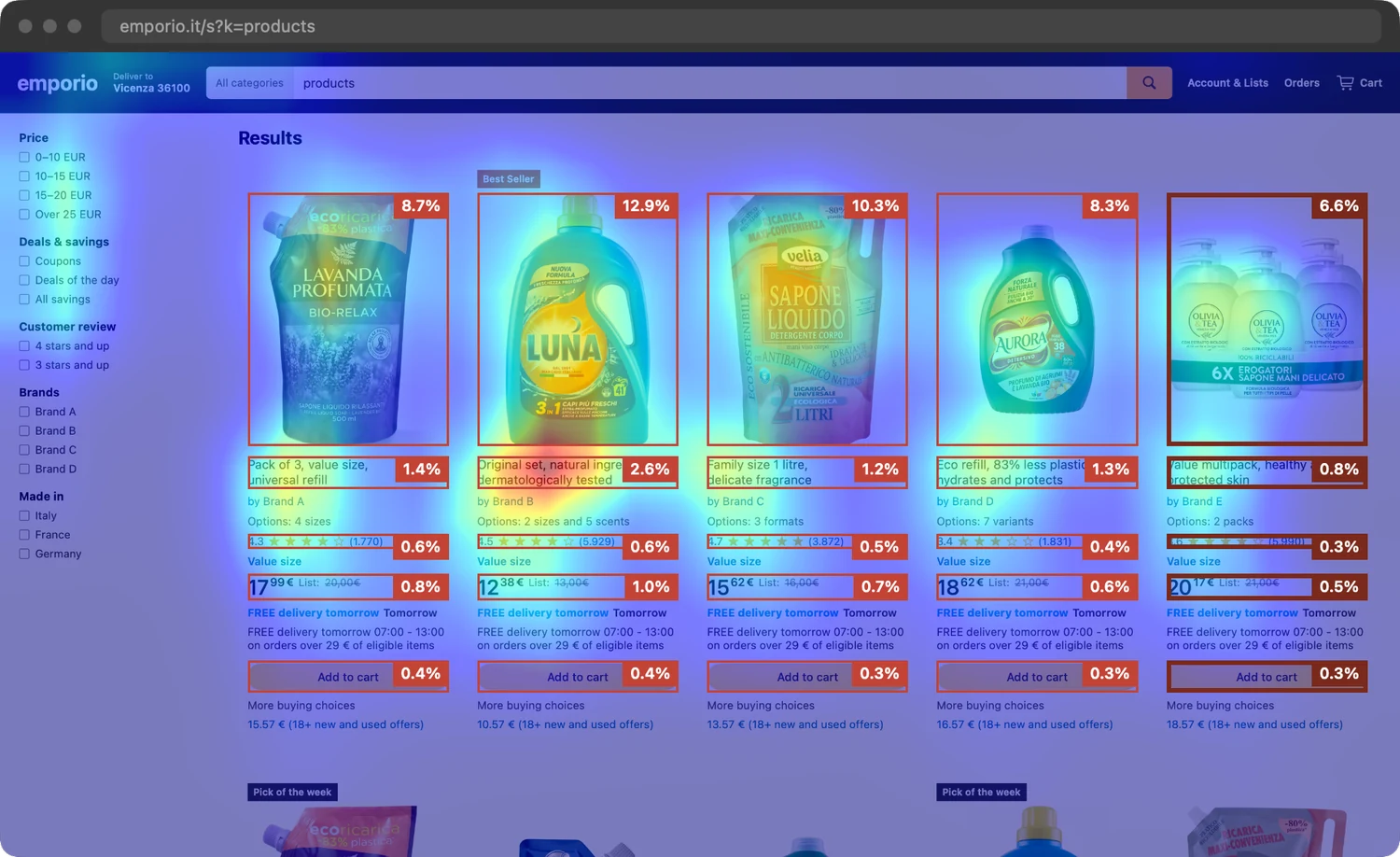
A design never lives on its own: with Canova’s simulators you can place it in its real environment to test how well it works
Made a design for a client and turned it into a product mockup? Load it into the simulator together with competing products and compute the attention maps of the screen every shopper will see on different devices
Study the best layouts to stand out from the competition
With a simple click Canova automatically lays out the analyses of all your artwork in a report, ready to download together with images and videos to use as you like
Attention maps over time, legibility, colour blindness, statistical analyses and simulators: every analysis has its own detailed legend
On the cover you add title, author, brand and logo: the report becomes yours, ready to hand over to your client, in Italian or English
15 pages
01Cover
Plugin
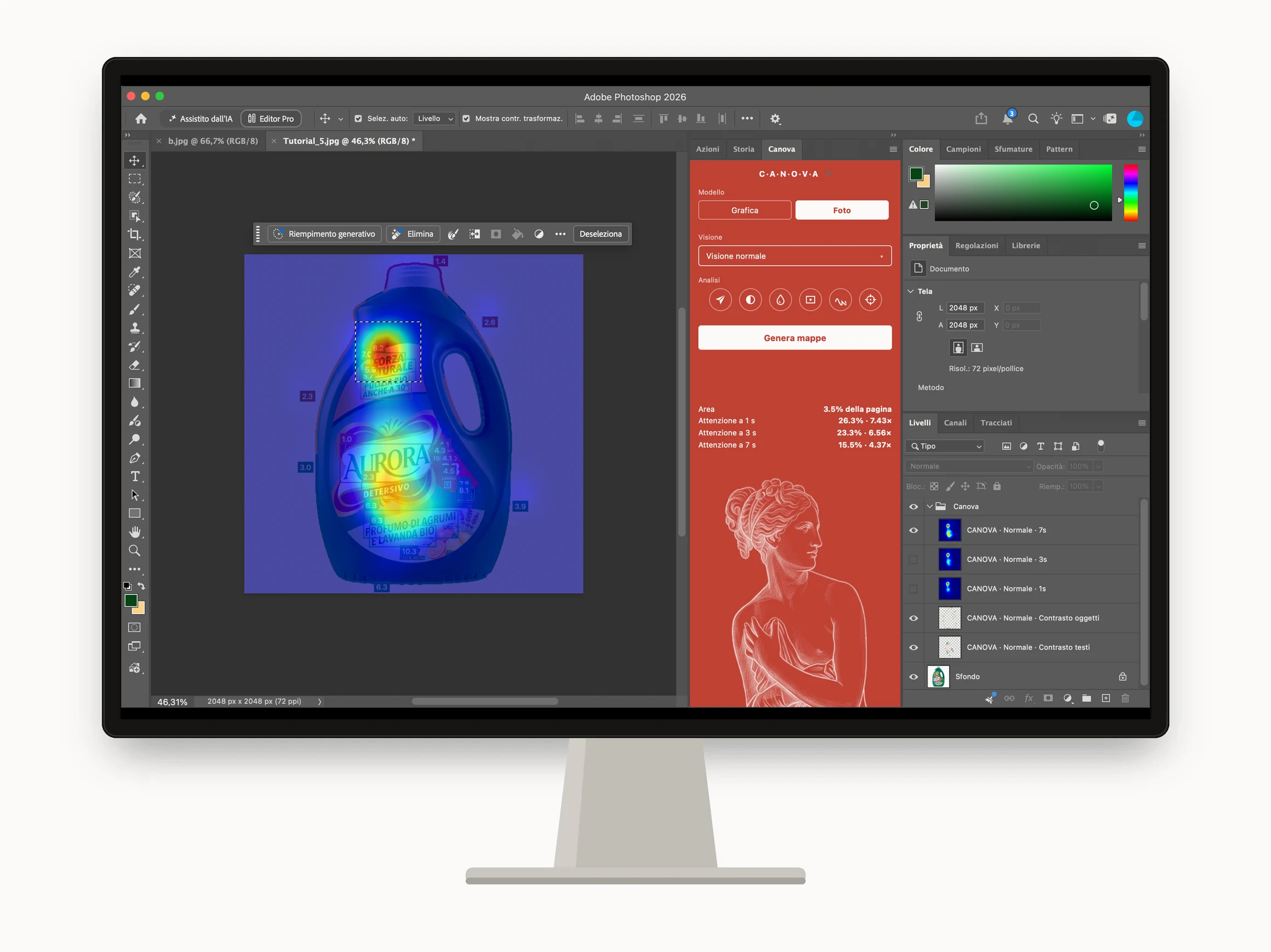
Attention maps without leaving your workflow: choose the model, generate the maps and find them as layers, ready to compare with your graphic design or your photo editing
Maps
Canova computes attention maps at 1, 3 and 7s right inside Photoshop and gives them back to you as layers
Thanks to on-device computing, you can watch visual attention on your areas of interest improve in real time, while you design and with no delay
Areas
You can also mark texts and elements with the Photoshop selection tools you prefer: Canova will measure the share of visual attention that falls inside each area, for each duration
It will tell you how many times each area draws more than its visual weight: 3× means three times the attention its surface would earn
Don’t waste space: give every element the right size
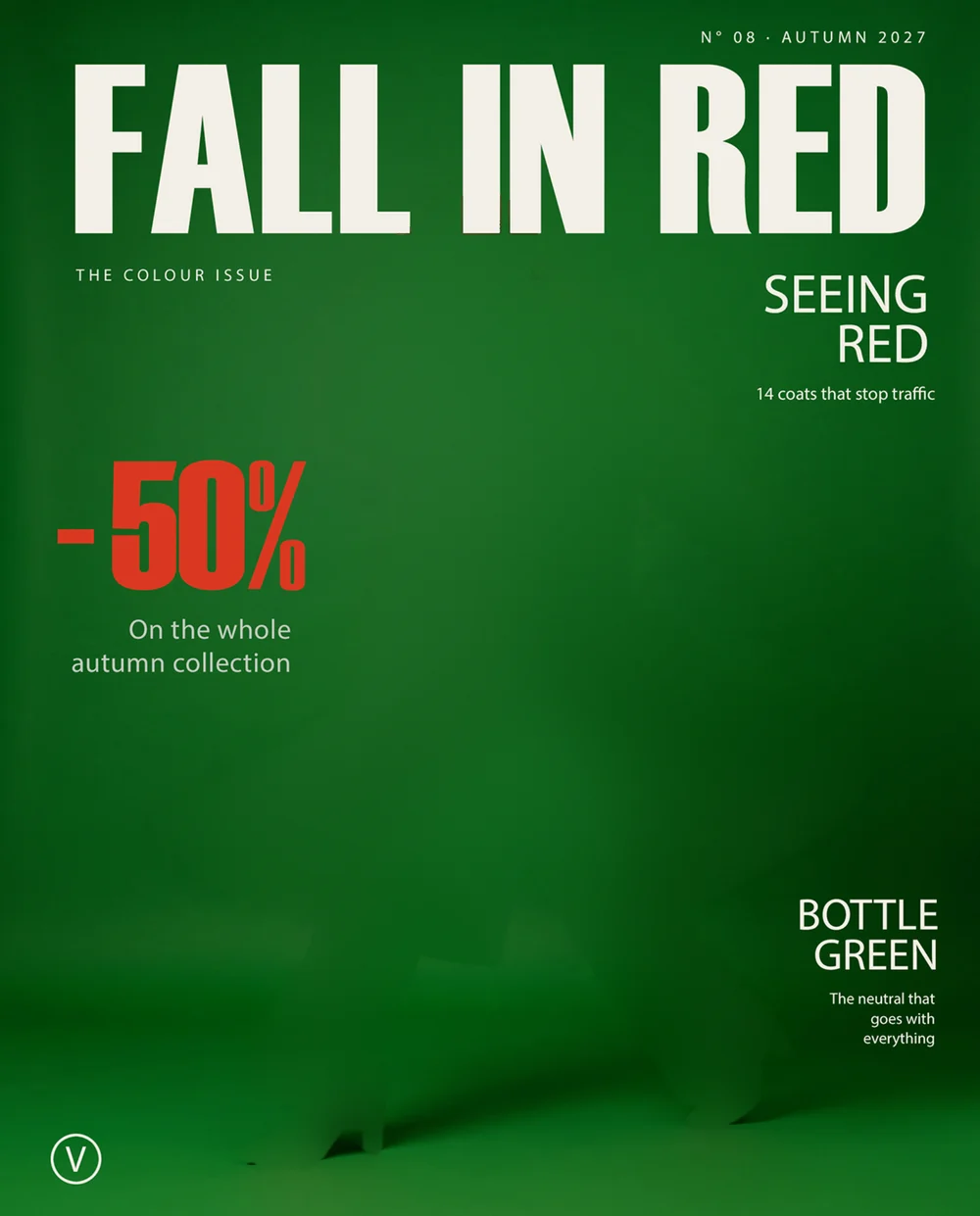
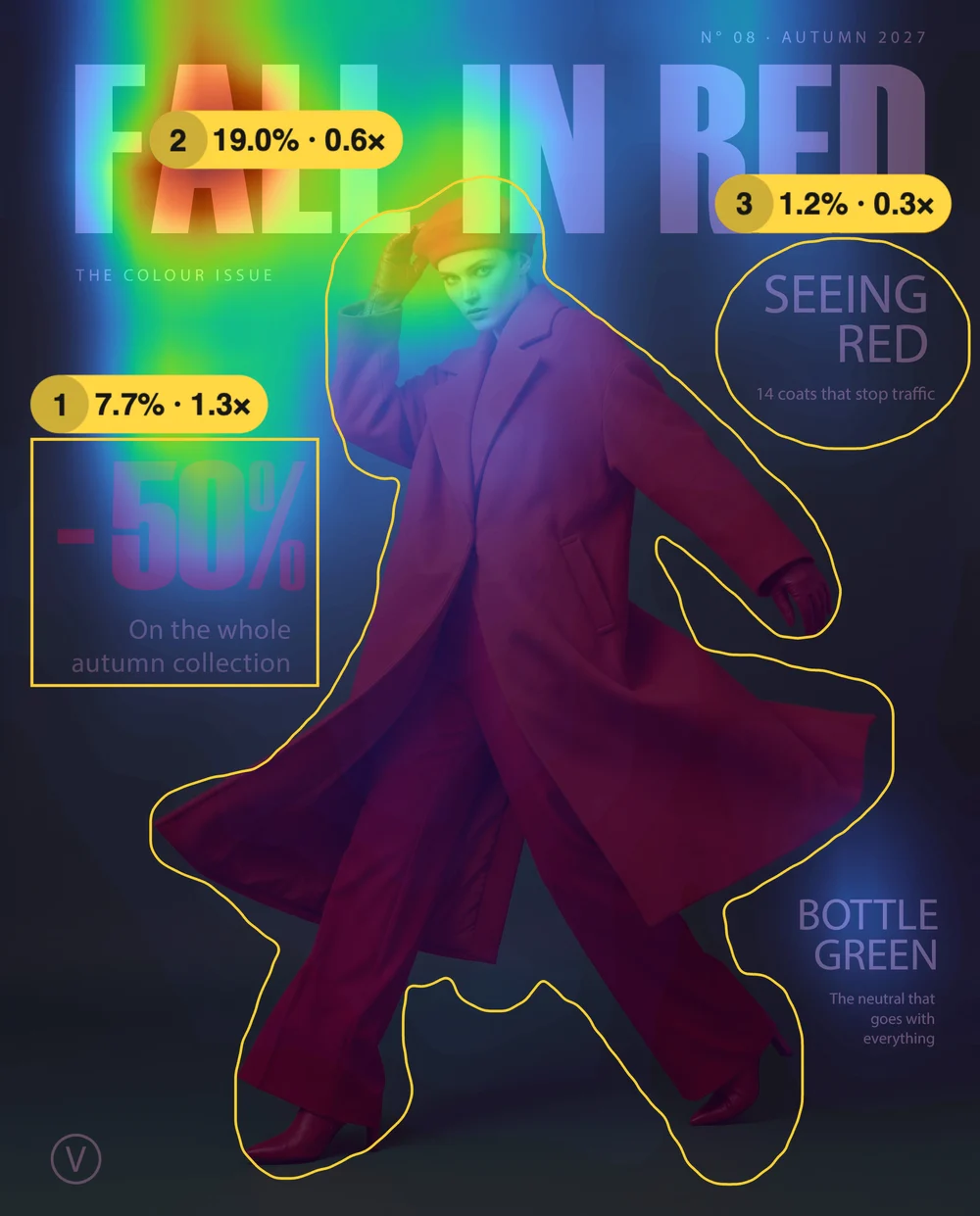
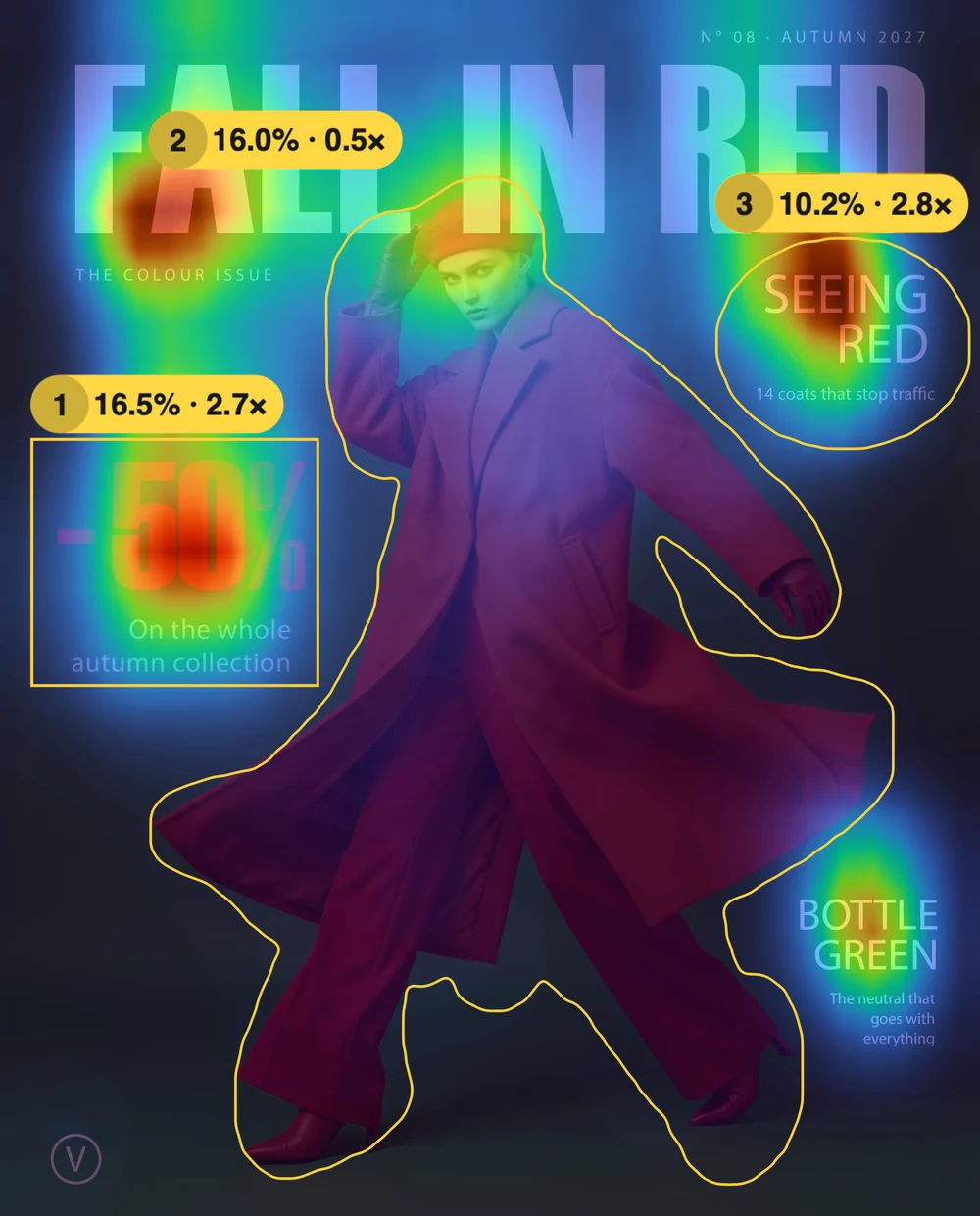
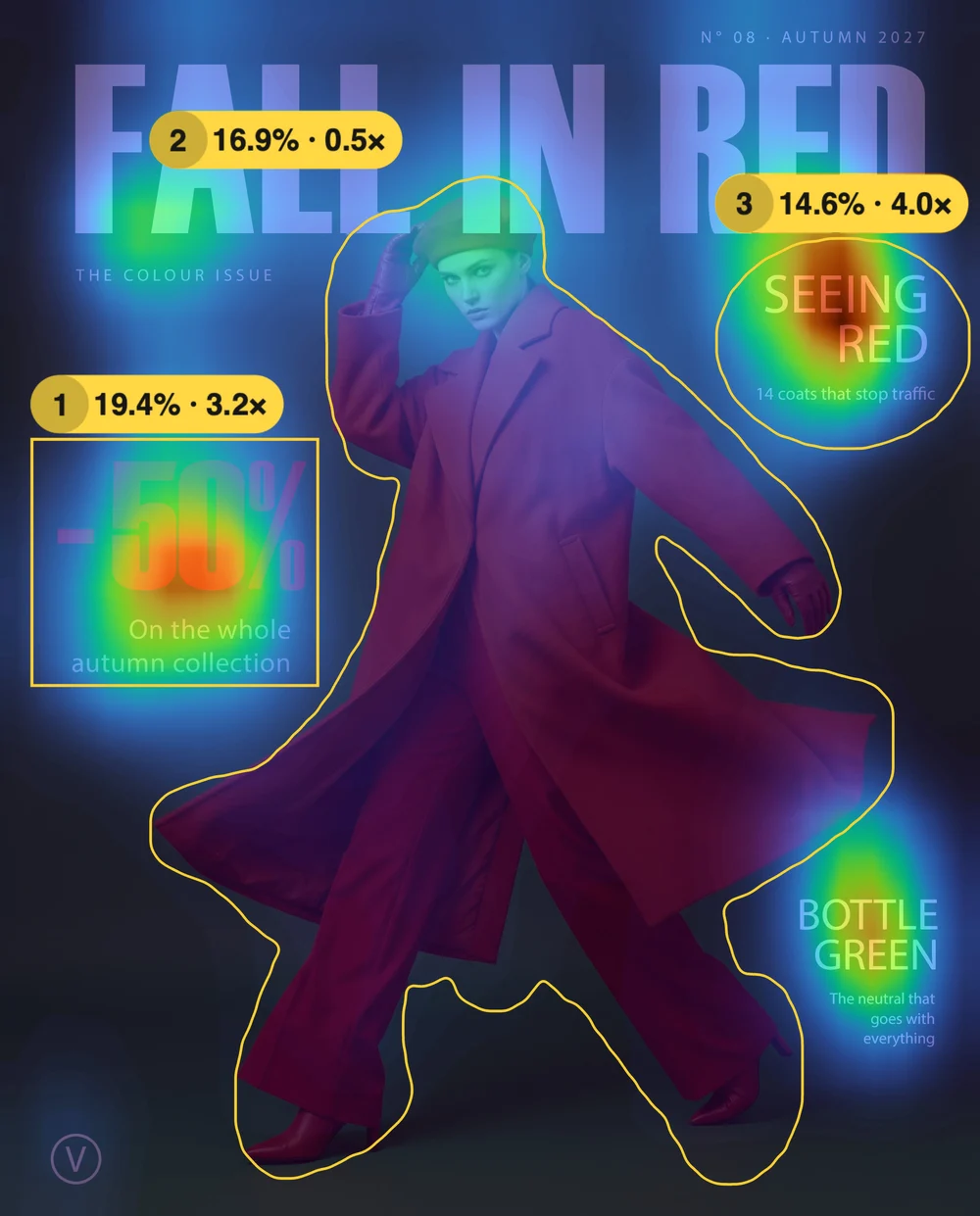
Canova is the first software to return attention maps as early as 1s: the time we give a billboard
QMS + Amplified, 2026Canova brings the map dedicated to checking skin tones into Photoshop, for your most delicate post-production
Edit after edit, you can check in real time for the typical, annoying shifts of the skin towards green or magenta
Refine it with the dedicated skinscope, or set your own reference with the eyedropper: the most natural for the subject, or the one that best fits the mood of the scene
Also available during shoots via tethering thanks to Canova Live Maps, for Capture One and Lightroom
Discover the tool in Live Maps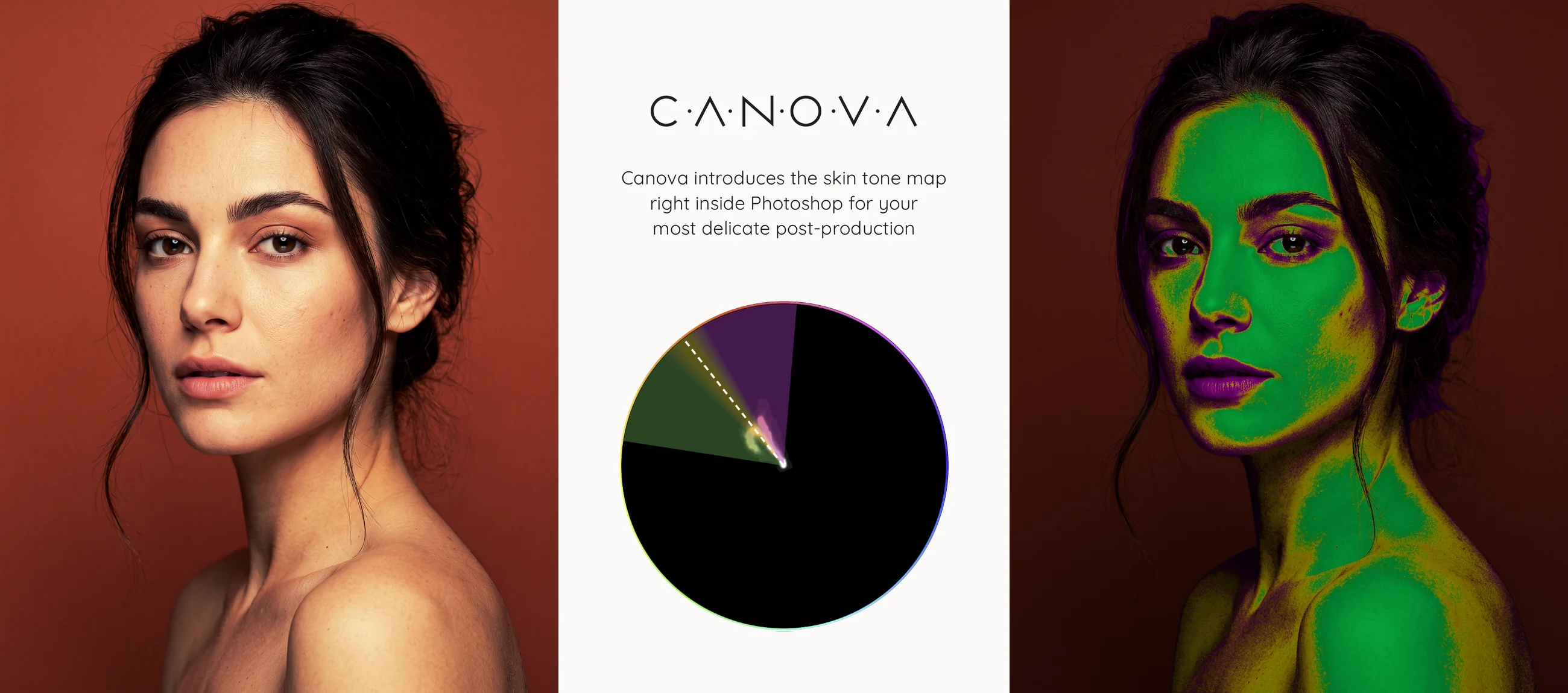
Canova automatically detects subjects and text and returns their contrast against the background
You will see at a glance which elements read well and which ones need fixing
For full visual accessibility of your work without even leaving Photoshop
Also available for photo shoots via tethering with Canova Live Maps
Discover the tool in Live Maps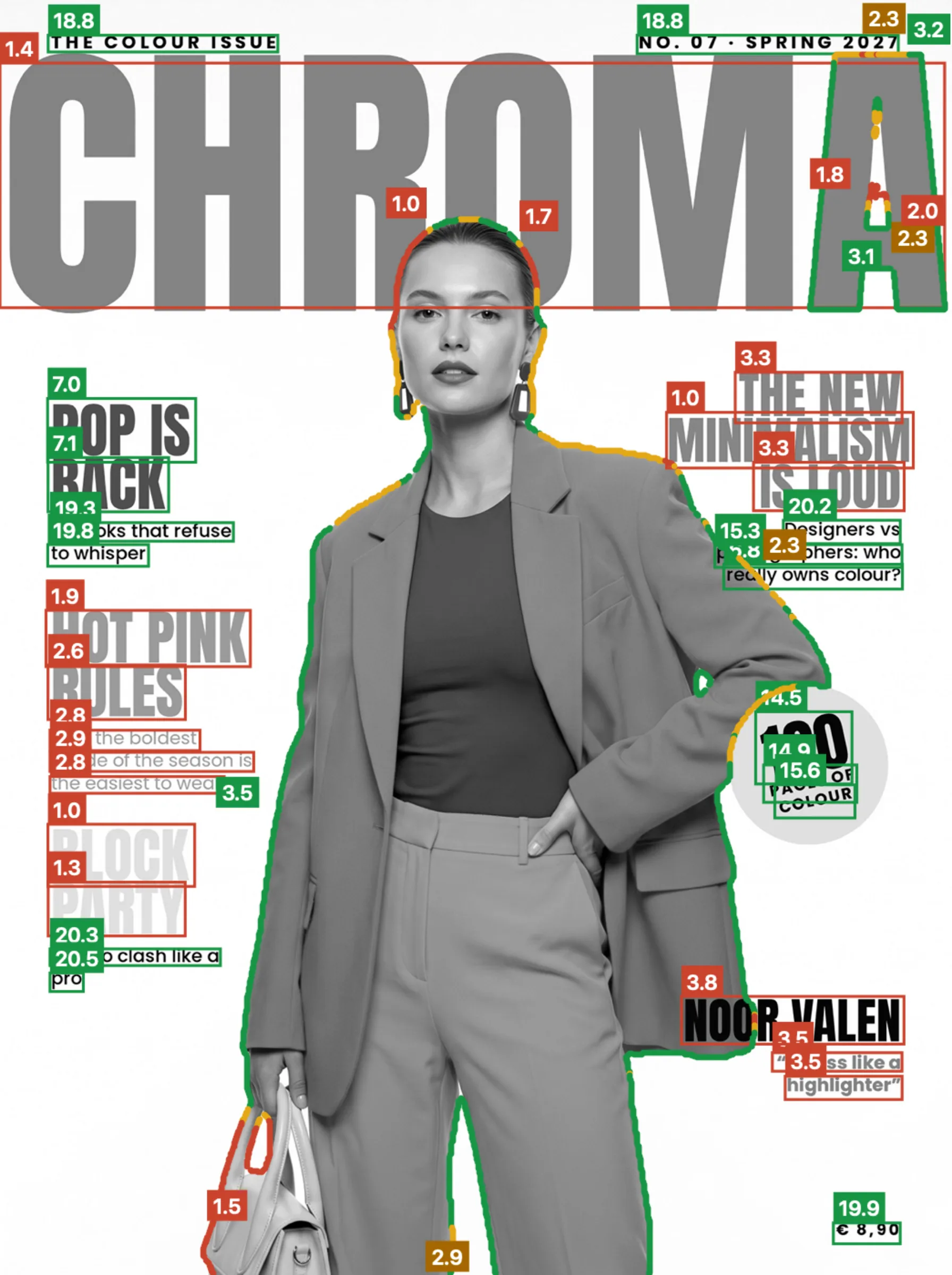
About 8% of men are colour blind and can’t see the colours you design. Purely chromatic contrasts may be lost, and with them the visual attention of your designs
With Canova you can simulate colour-blind vision and recalculate, for each type of vision, the attention maps, the contrast of text and graphic elements and the visual attention in your areas of interest, all inside Photoshop
With the color checker you can also get suggestions on how to optimise your tints to reach the WCAG 2.2 AA and AAA thresholds for any visual deficiency
Don’t lose your audience, design for everyone
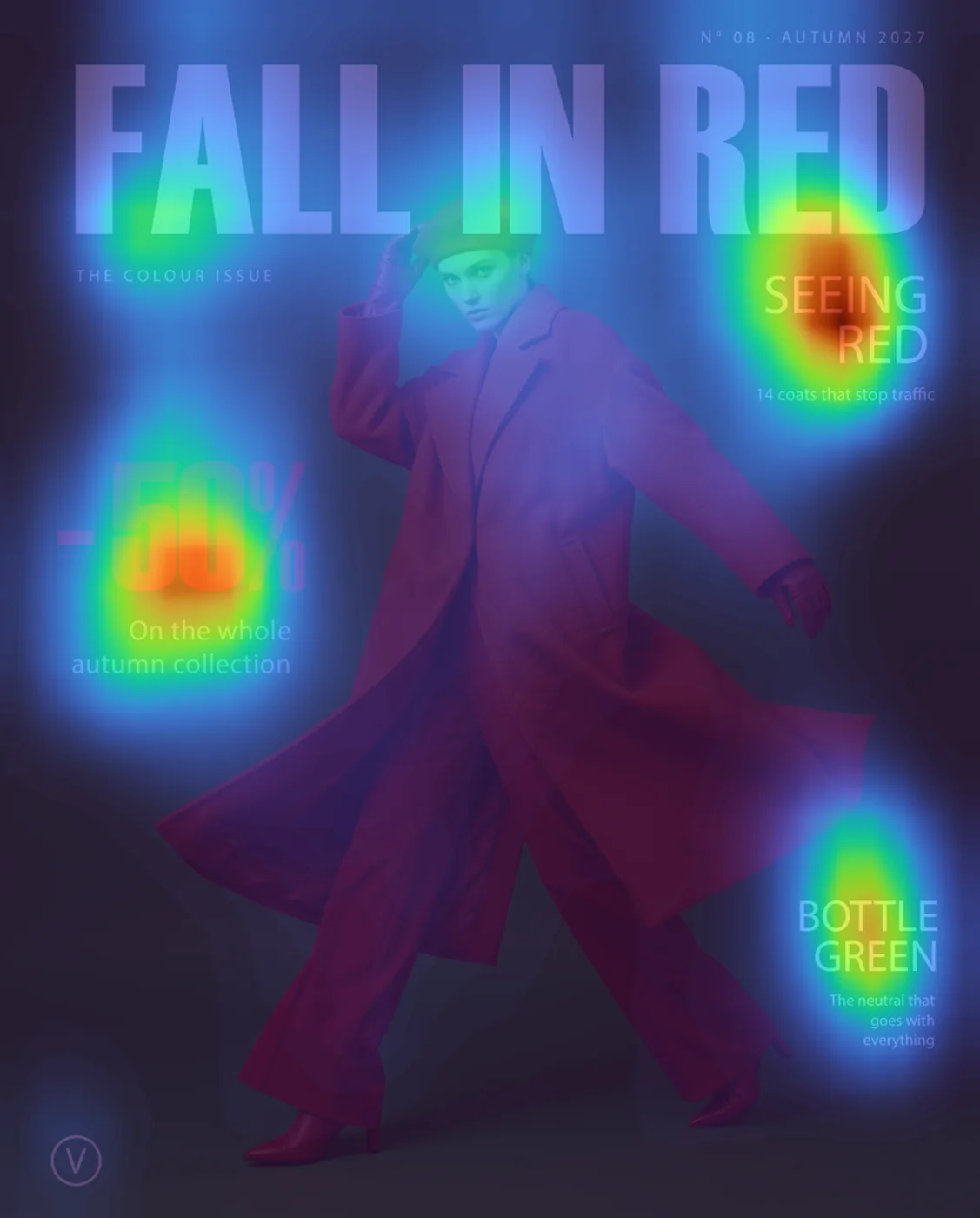

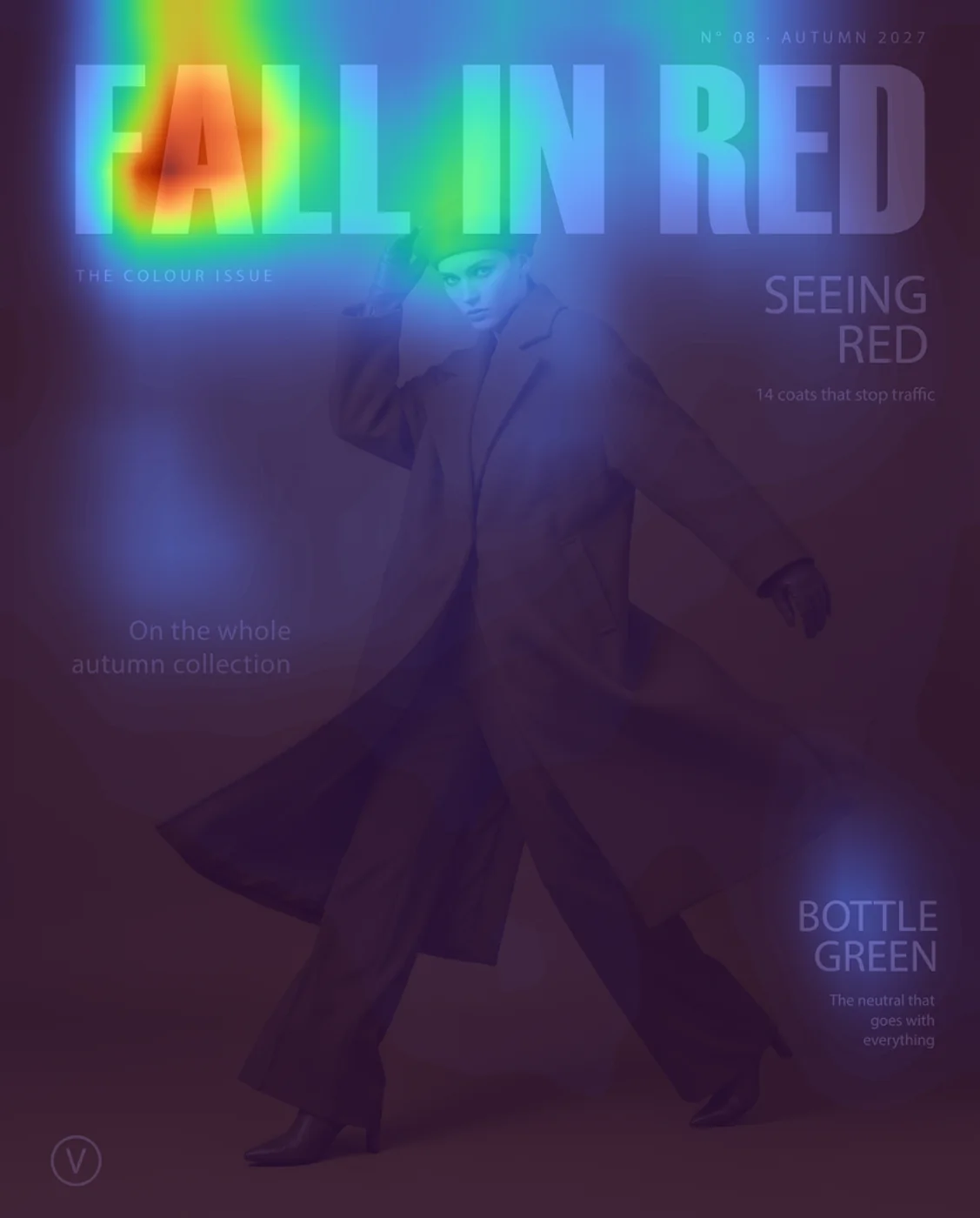
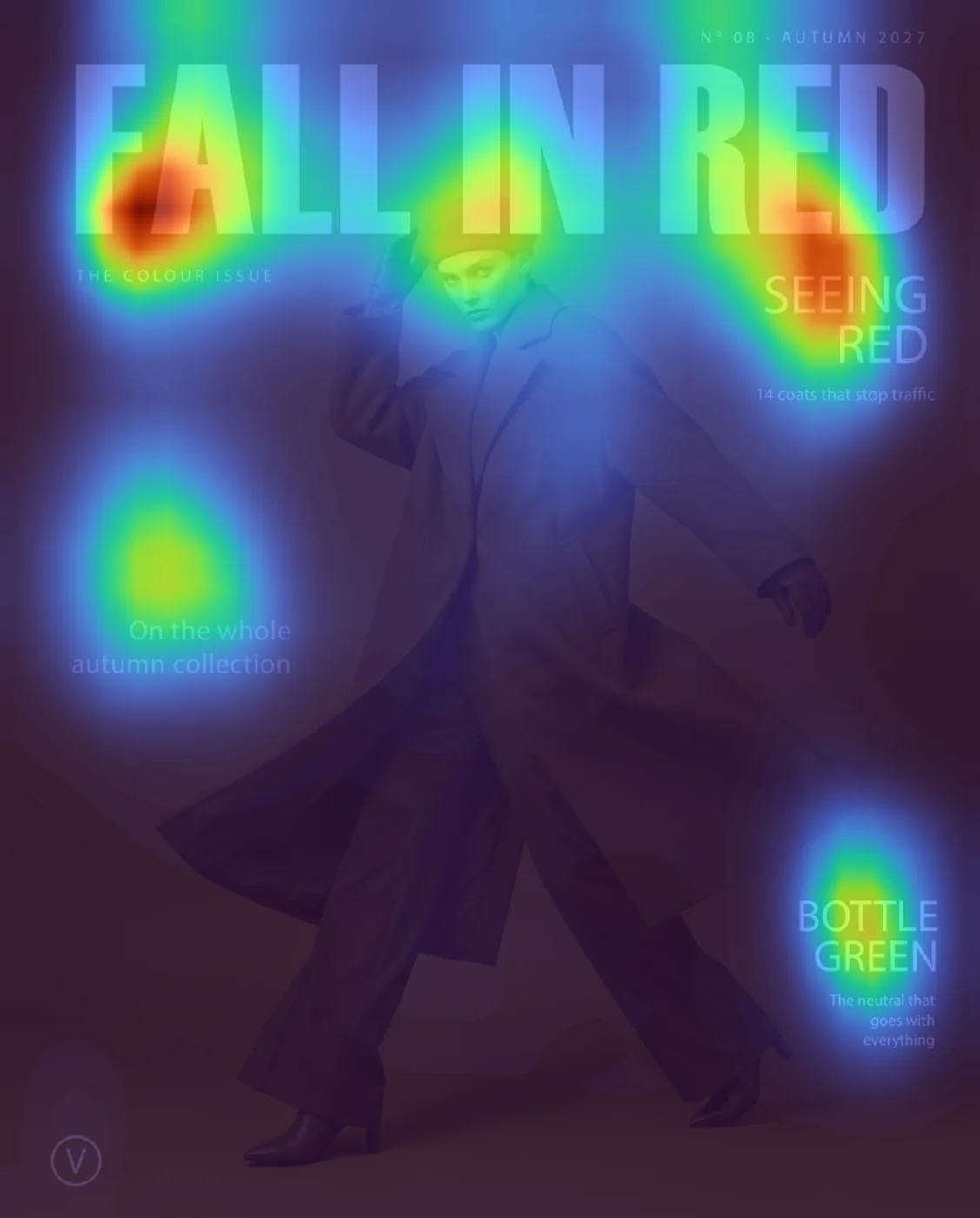
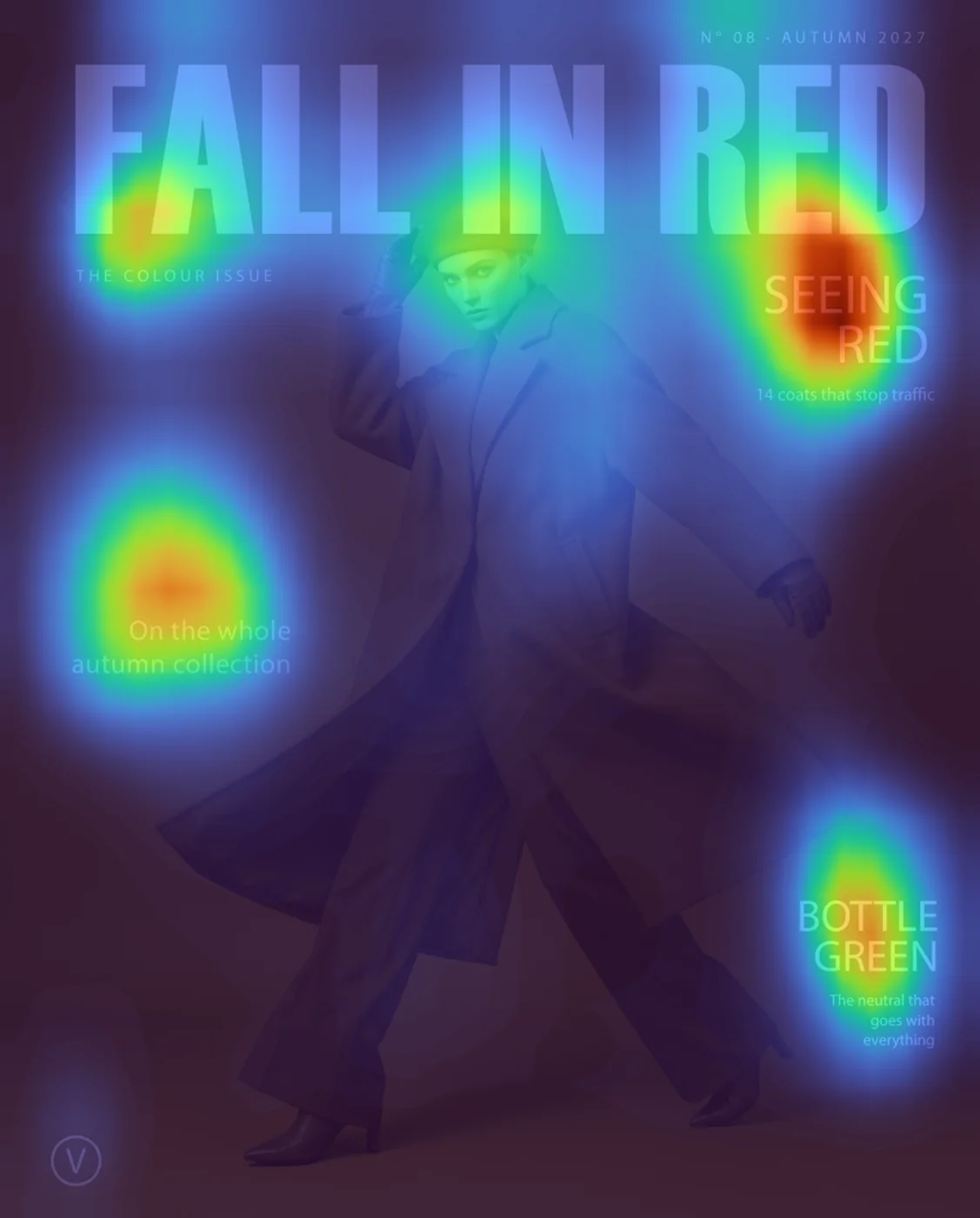 Protanopia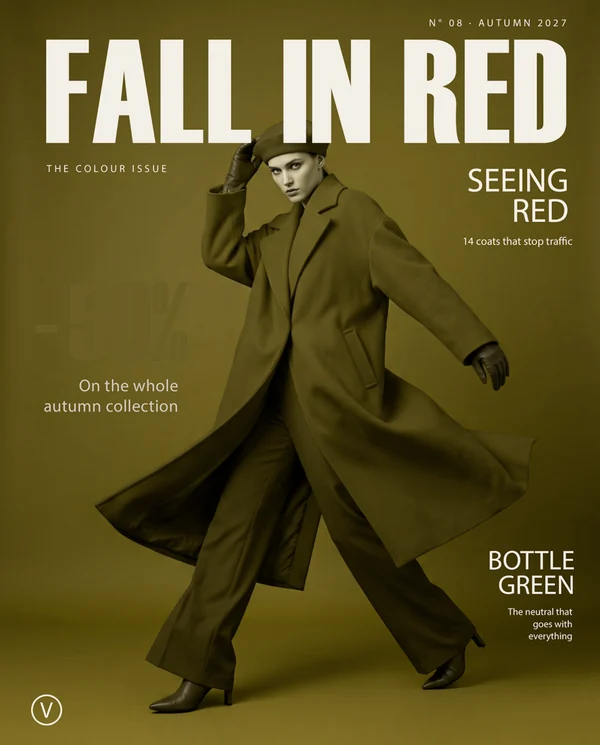
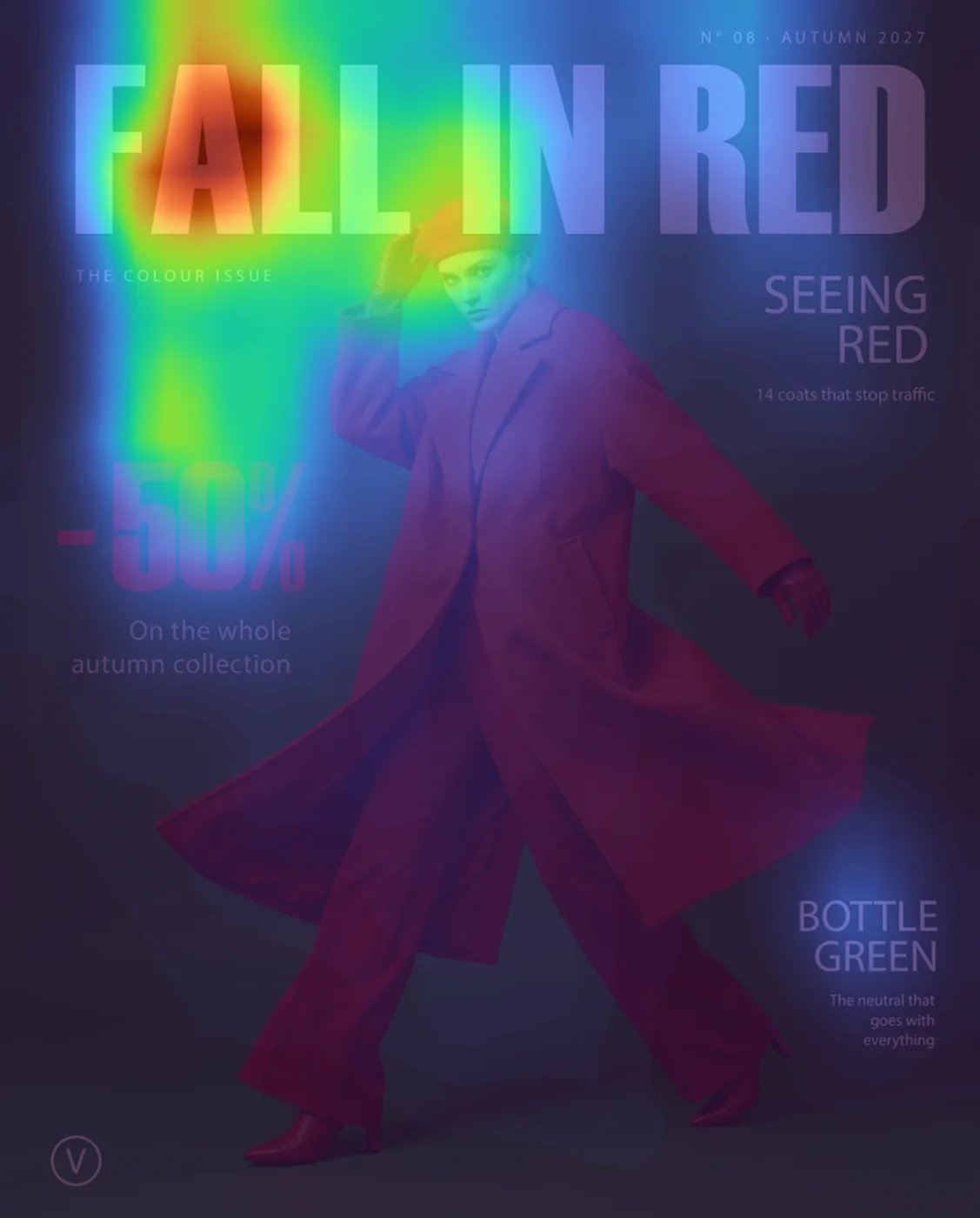
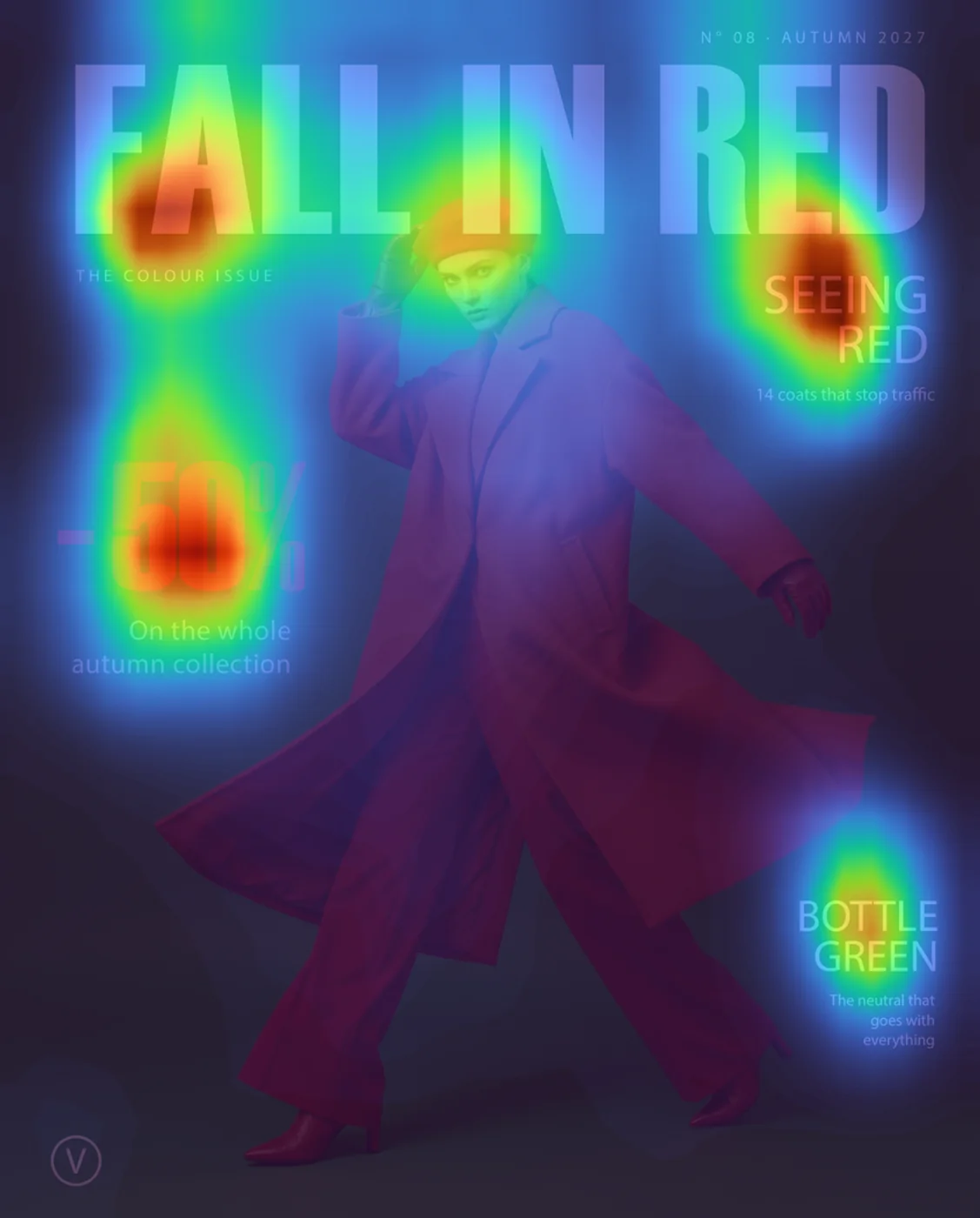
Deficiencies in red vision can easily make prices and discounts disappear from your designs
At 1s, one of the most common visual deficiencies loses more than half of the visual attention on the red discount on this cover
Purely colour-based contrasts can disappear entirely, as in this case, with a Δ of

It seems that perfection is attained not when there is nothing more to add, but when there is nothing more to remove